
Is my WordPress installation vulnerable?
You will need to confirm that you are running, at least, version 4.2 of the Slider Revolution plugin. Because this plugin has been packaged with many themes you will need to check for theme updates as well as for an update for the plugin.
Updating the Plugin:
- Login to your WordPress Dashboard.
- Open the Slider Revolution backend.
- Locate the Update button, should be in the lower right corner.
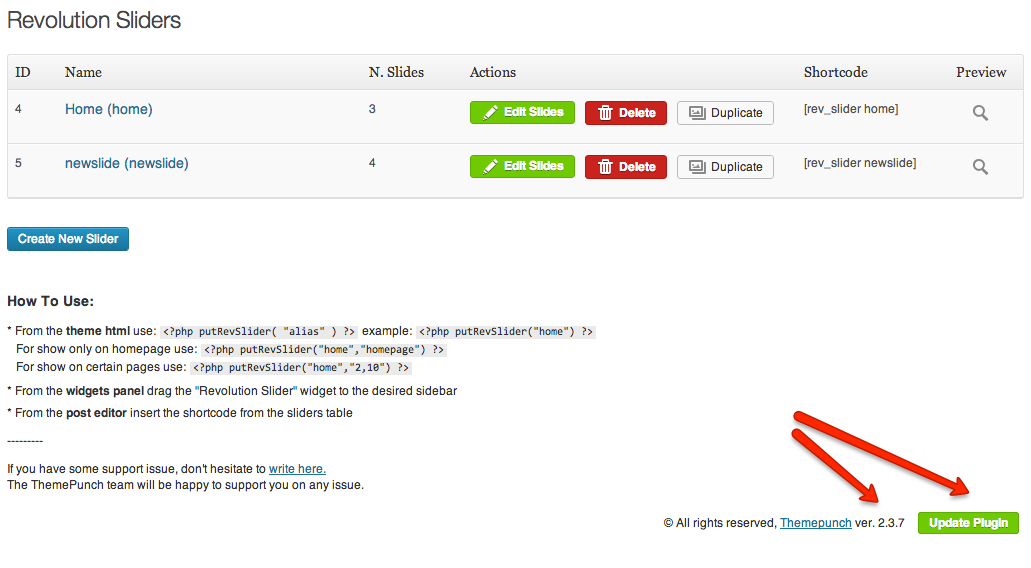
http://screencast.com/t/HmPjxmf2pq9v
Updating the Theme:
A list of exploited themes has been compiled by Sucuri. For updated versions of your theme you will want to check with the theme vendor for an updated version.
